Marketing email from your own mailbox
Write one message and each contact gets their own copy, filled in with their details and sent from your own Microsoft 365 mailbox. Each message lands on the contact's timeline, and replies come back to your inbox.
Pick the people
Filter your contacts the same way as the Contacts list, then tick people or add everyone who matches. Or choose Email these contacts right from Contacts. Before you send, Kamayu shows who will get it and who will be skipped, and why.
- Saved lists: a fixed list of people, or a filter that finds the right people each time
- Keep a list to yourself or share it with your team
- People who opted out are always skipped
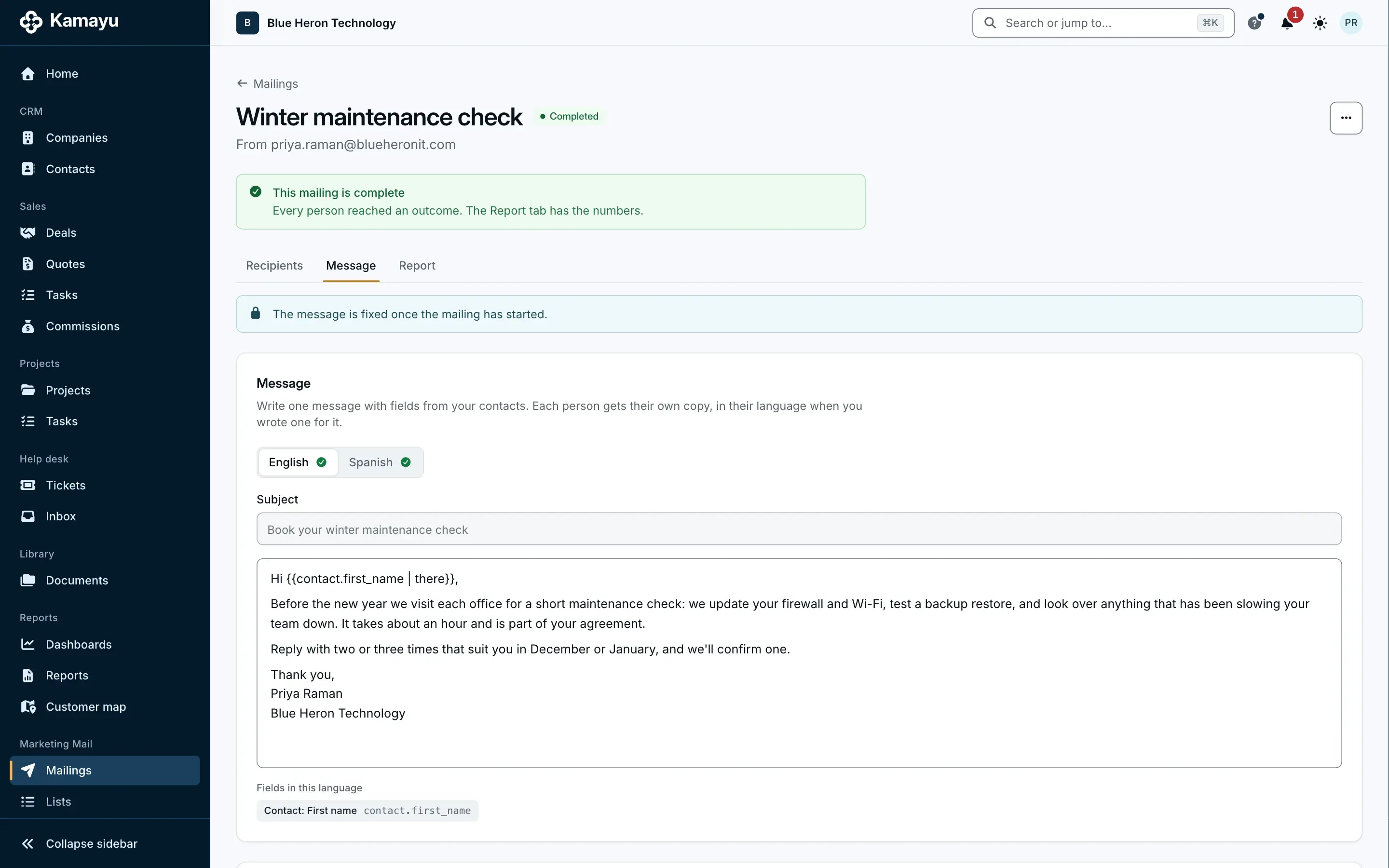
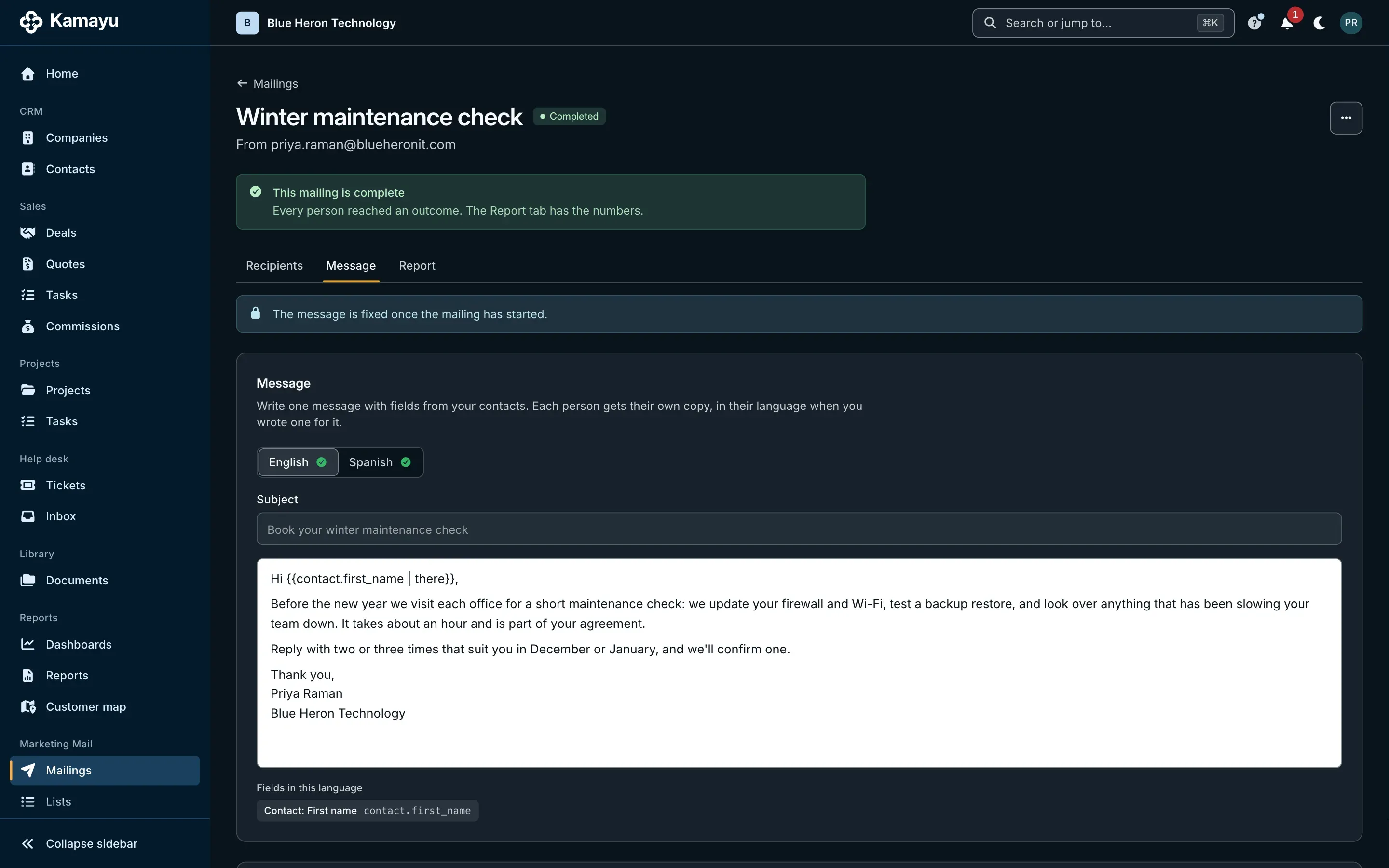
Write once, personal for each
Write the subject and the text once and insert fields like the contact's first name, with a word to use when a field is empty. Preview the message as each person will get it. Write it in English and Spanish, and each contact gets the text in their own language.
- Start from a saved email template
- Add your signature
- Send yourself a test before you start
Sent from you, at a steady pace
Messages leave your own mailbox under your own address, one at a time and at most 10 a minute, so your everyday replies and quotes never wait behind a mailing. Start now or schedule it up to 30 days ahead, and pause or cancel while it sends.
- A daily limit per mailbox, 500 by default, that counts everything it sends
- If Microsoft limits the mailbox, the mailing pauses and says why
- Each message shows on the contact's timeline with the mailing's name
An unsubscribe that works
Every message ends with a footer that holds an unsubscribe link, your company's name, your postal address and a way to contact you, in your own words. The link opens a page with one Confirm button, and the person is opted out of all your workspace's marketing email at once, until your team adds them back.
- A standard unsubscribe header on every message, too
- Opt-outs hold through imports and duplicate contacts
- One-to-one email and quotes to that person still go through
- Every mailing says "This is an advertisement." unless you confirm the recipients asked for it or it isn't advertising
A report you can trust
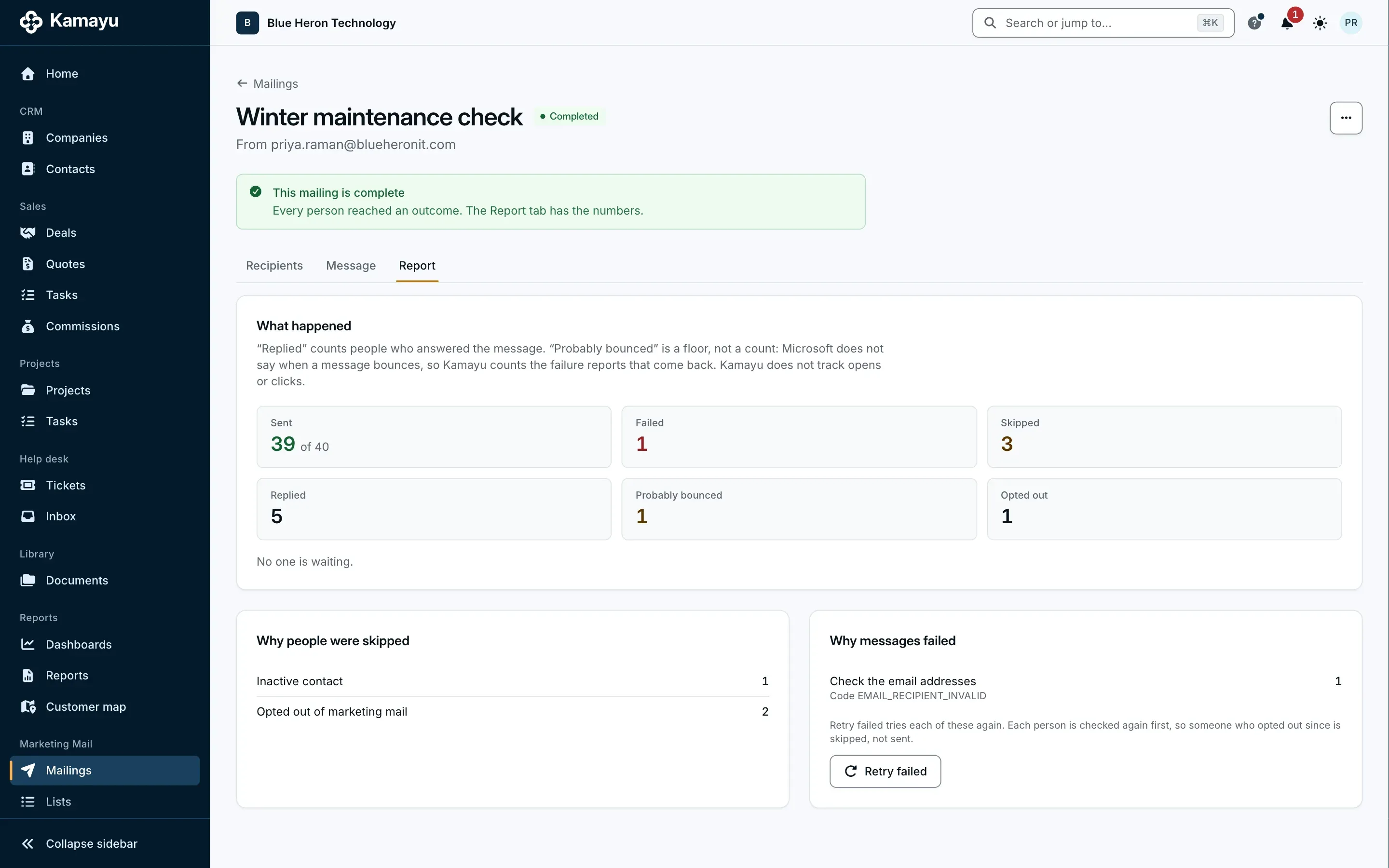
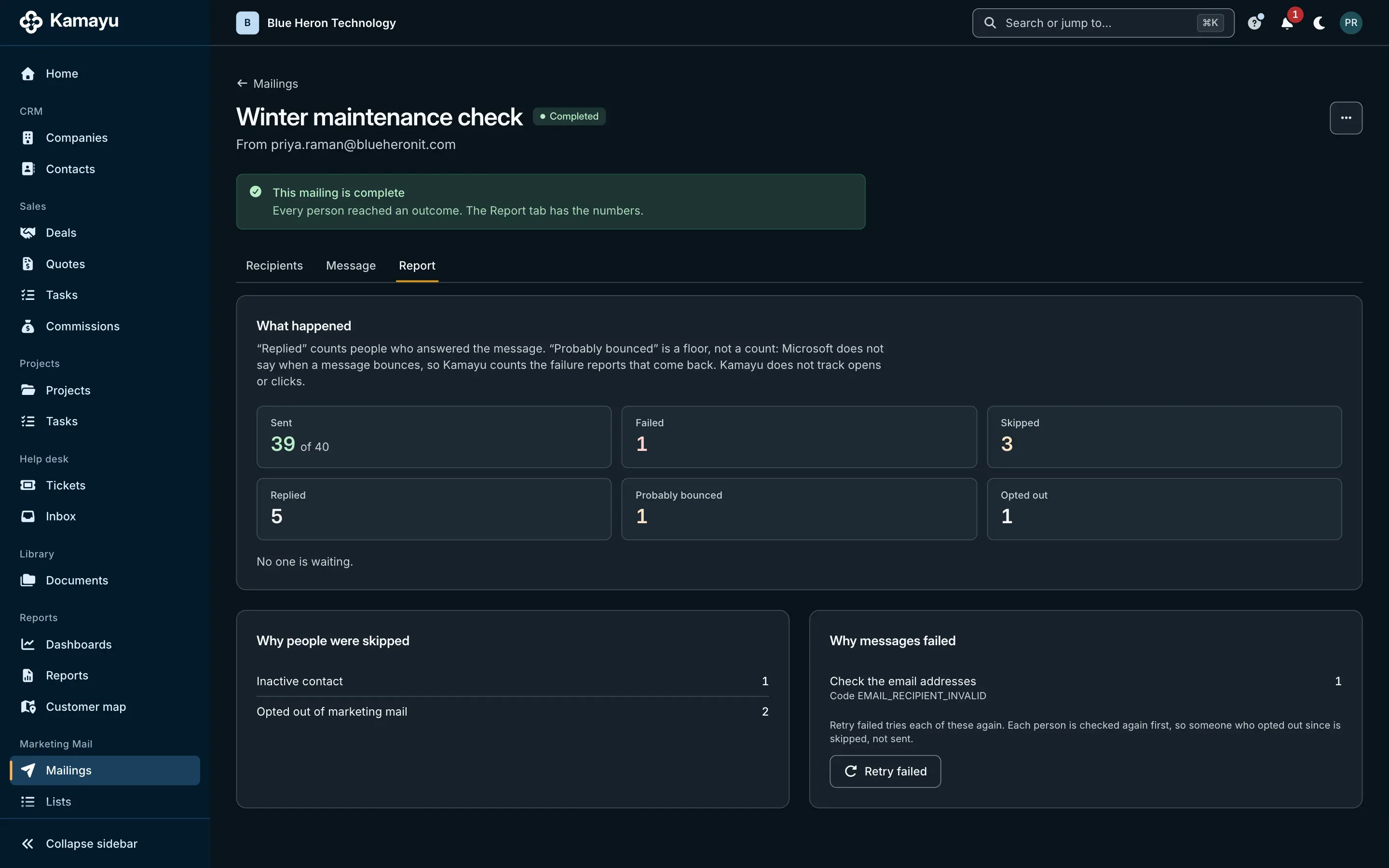
See what was sent, skipped and failed, with the reasons, who replied, who probably bounced and who opted out. Retry the failed ones in one click.
- No tracking pixels and no rewritten links
- Kamayu doesn't count opens or clicks
- Probably bounced is a best guess: Microsoft doesn't report bounces
Off until you turn it on
Marketing Mail stays off until the workspace owner turns it on, and only people whose role can export contacts can send. Each person reaches only the contacts their role allows. An administrator sets the footer, the postal address and the daily limit.
Marketing Mail is for personal email to people you know, not automated campaigns: there are no sequences, drips or A/B tests. Your company is the sender and decides who has agreed to hear from you.
Questions
Does Marketing Mail cost extra?
No. It's part of the plan, with no charge per message.
How many people can I email?
Each mailbox has a daily limit of recipients over a rolling 24 hours: 500 by default, and an administrator can set it from 100 to 2,000. The whole workspace can email up to 5,000 recipients in 24 hours. Microsoft's own limits for your Microsoft 365 tenant apply too.
Does it track opens and clicks?
No. Kamayu adds no tracking pixel and doesn't rewrite your links. The report shows what is true: sent, skipped, failed, replied, probably bounced and opted out.
Who is responsible for consent?
Your company is the sender. Kamayu puts an unsubscribe link, your name, your postal address and a way to contact you on every message and honors every opt-out, but whether your contacts agreed to hear from you is yours to know.
Does it work with Gmail?
Not yet. Marketing Mail sends from Microsoft 365 mailboxes, like the rest of Kamayu's email.
More of Kamayu
Spend less time keeping records, and more time on customers.
Try every module free for 15 days. Cancel any time before the first charge.