Skip to content
Try it free for 15 days

The all-in-one CRM for small business

Kamayu brings your customers, deals, projects and support tickets into one simple workspace. Email stays in your own mailbox, your data stays in its own database, and nobody types the same thing twice.

For small and medium businesses. CRM, sales, projects, help desk and dashboards.

$240 per user per year, billed once a year. See pricing

One inbox, not two

Send from Kamayu and it's in Outlook. Reply in Outlook and it's in Kamayu.

No re-entry

A lead becomes a deal, a project and a ticket without retyping a thing.

Everything on the record

Open a customer and see the emails, quotes, tasks and tickets in one place.

One continuous flow

From first email to happy customer, on one thread.

Most small businesses keep the customer in one app, the quote in another, the project in a spreadsheet and support in a shared inbox. Kamayu ties them together, the way a knot ties three strands into one.

  1. Someone gets in touch

    An email to your sales address becomes a lead, linked to the contact or company you already know and handed to the right person.

  2. You send a quote

    Build it from your catalog, send it from your own mailbox, and your customer signs it online.

  3. They say yes

    Start a project from the won deal. The signed quote's lines become its scope, with the company and contacts already attached.

  4. They need help later

    Support email opens tickets on the same customer, so whoever answers sees the whole story.

The product

Five tools that already know each other.

Everything a service business runs on, in one place, with one login, one search and one list of customers.

Every customer, on one record.

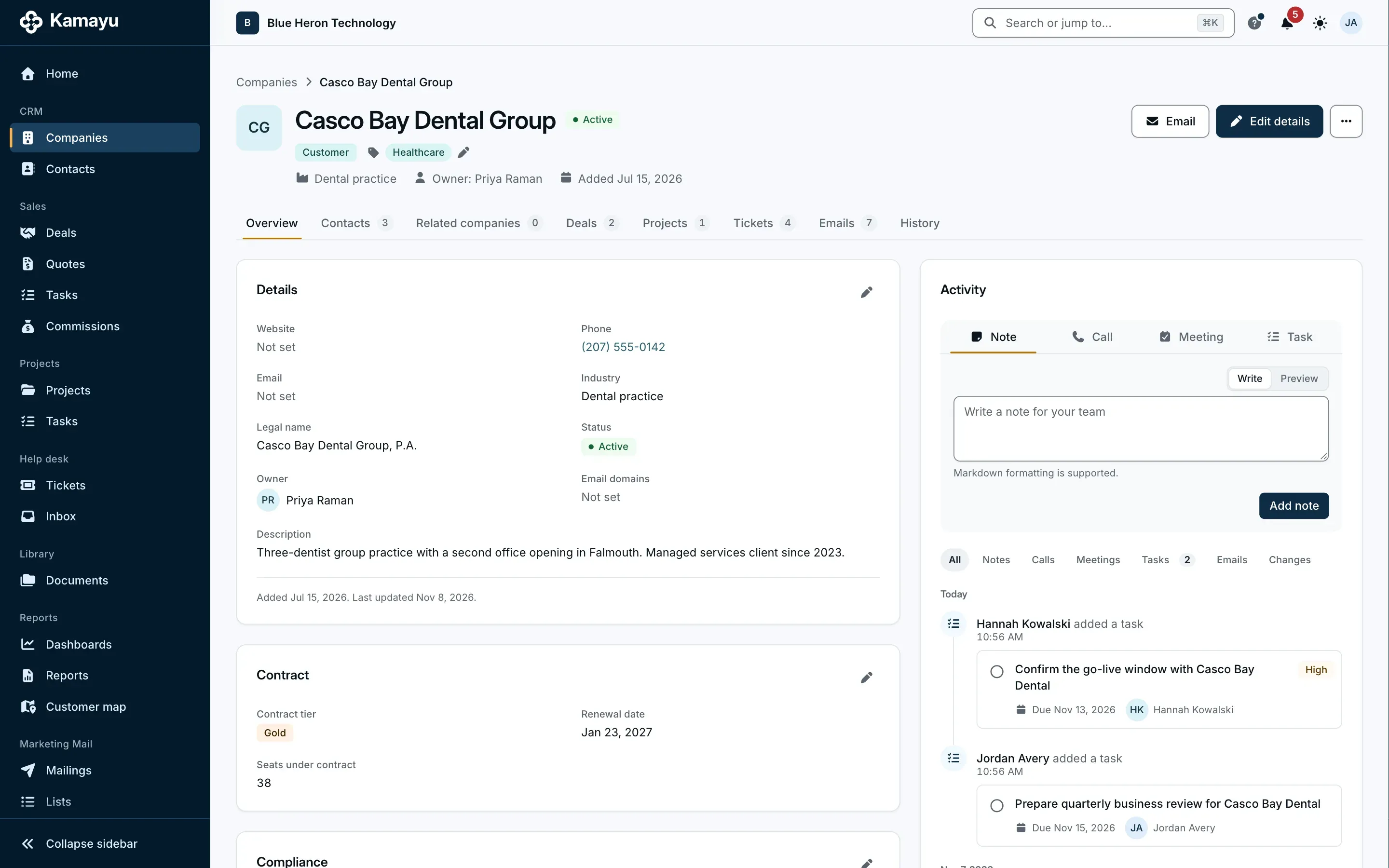
Companies, contacts and the relationships between them, with every email, note, deal, project and ticket on one timeline.

  • Several sites per company
  • Owners, teams and record shares
  • Import from any system's Excel export
  • One search across everything
More on email in Kamayu
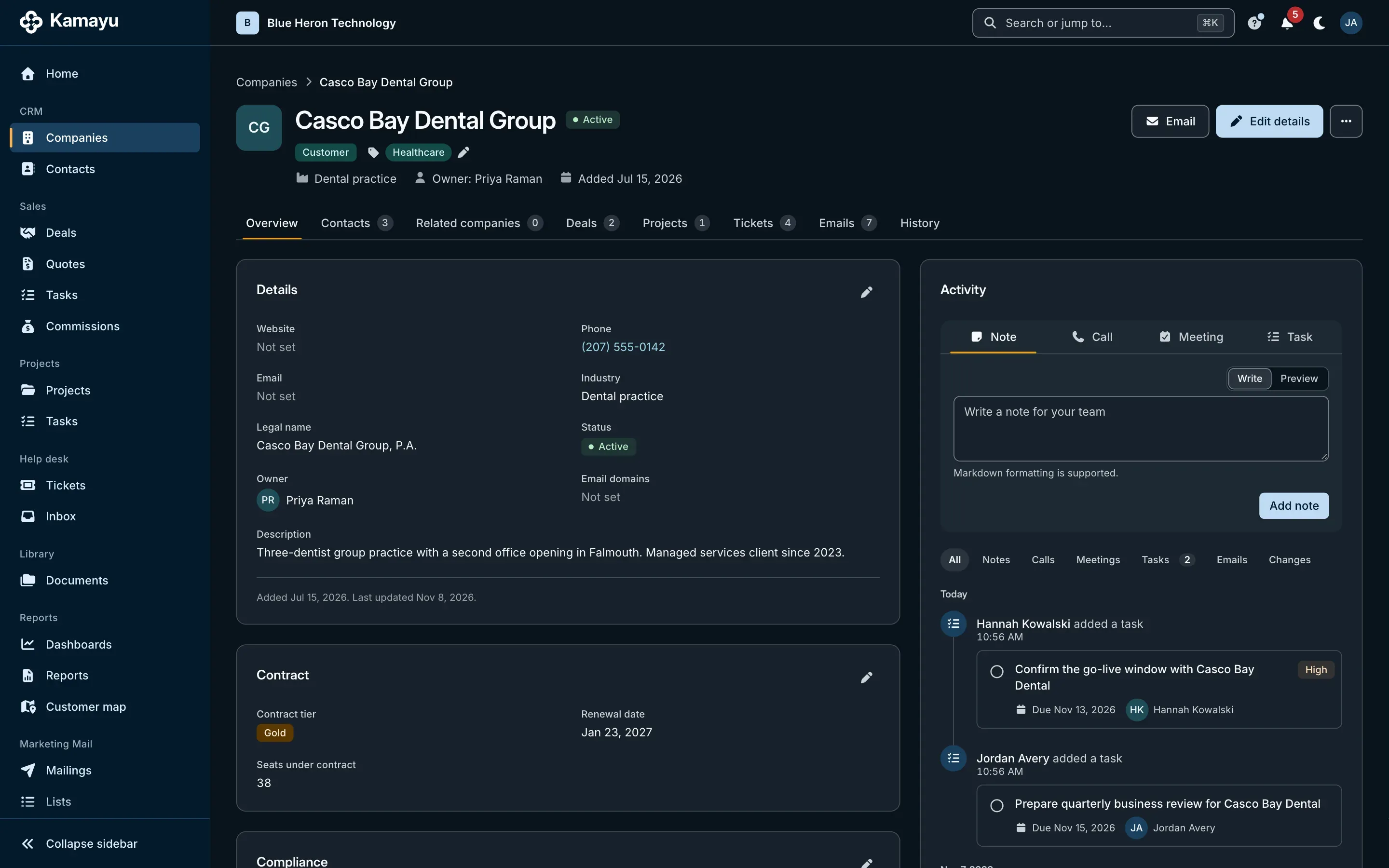
A company record in Kamayu, with its timeline, details and related deals and tickets.

A pipeline you can see, and quotes that close.

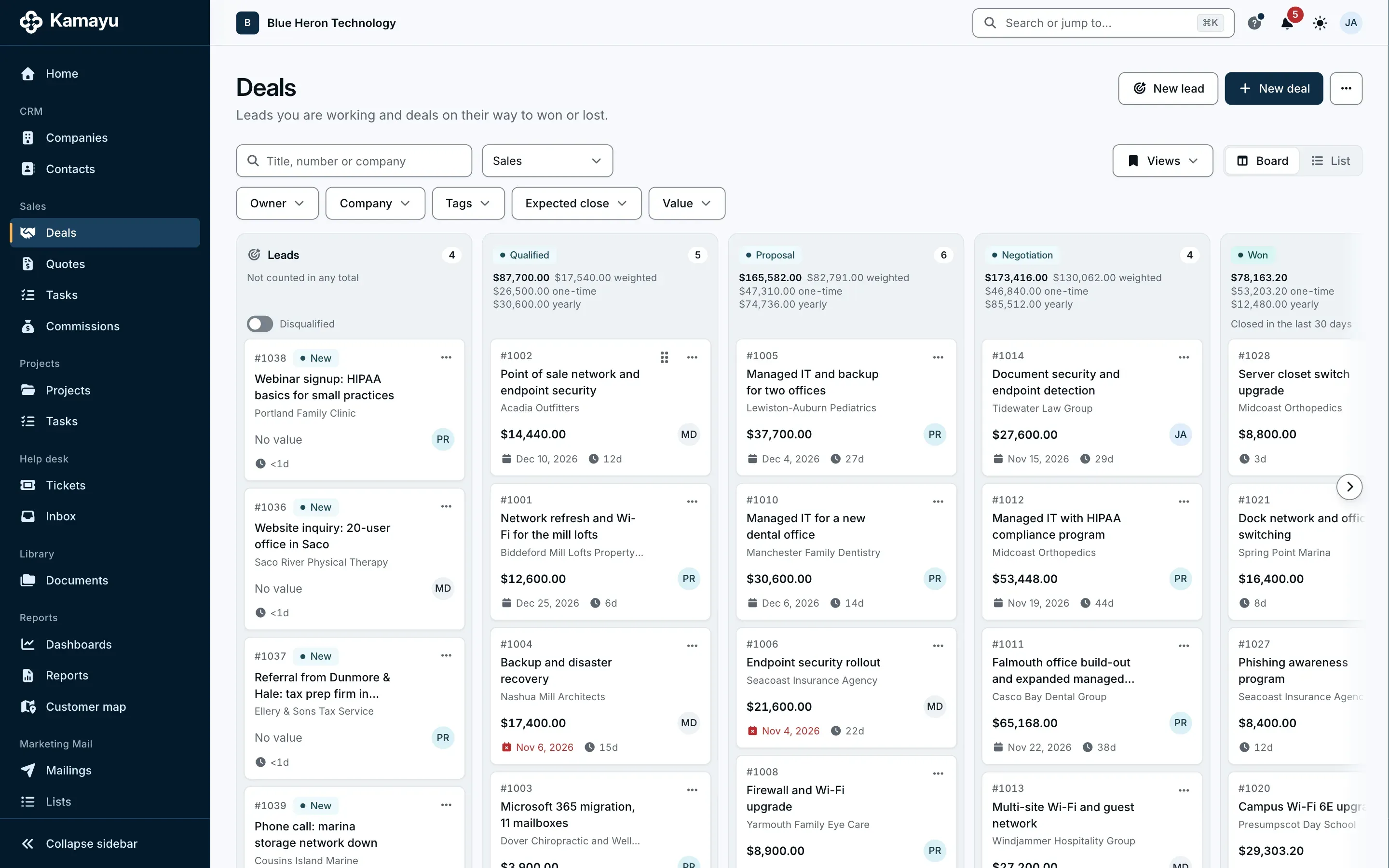
Pipelines with your own stages, leads that arrive from your sales mailbox, and quotes built from your catalog that go out as clean PDFs in your brand.

  • Board, list and saved views
  • Weighted totals in each currency
  • Leads with job title, phone and website, assigned by round robin, domain or territory
  • Sales tasks on leads, deals, companies and contacts, all on one Sales > Tasks page
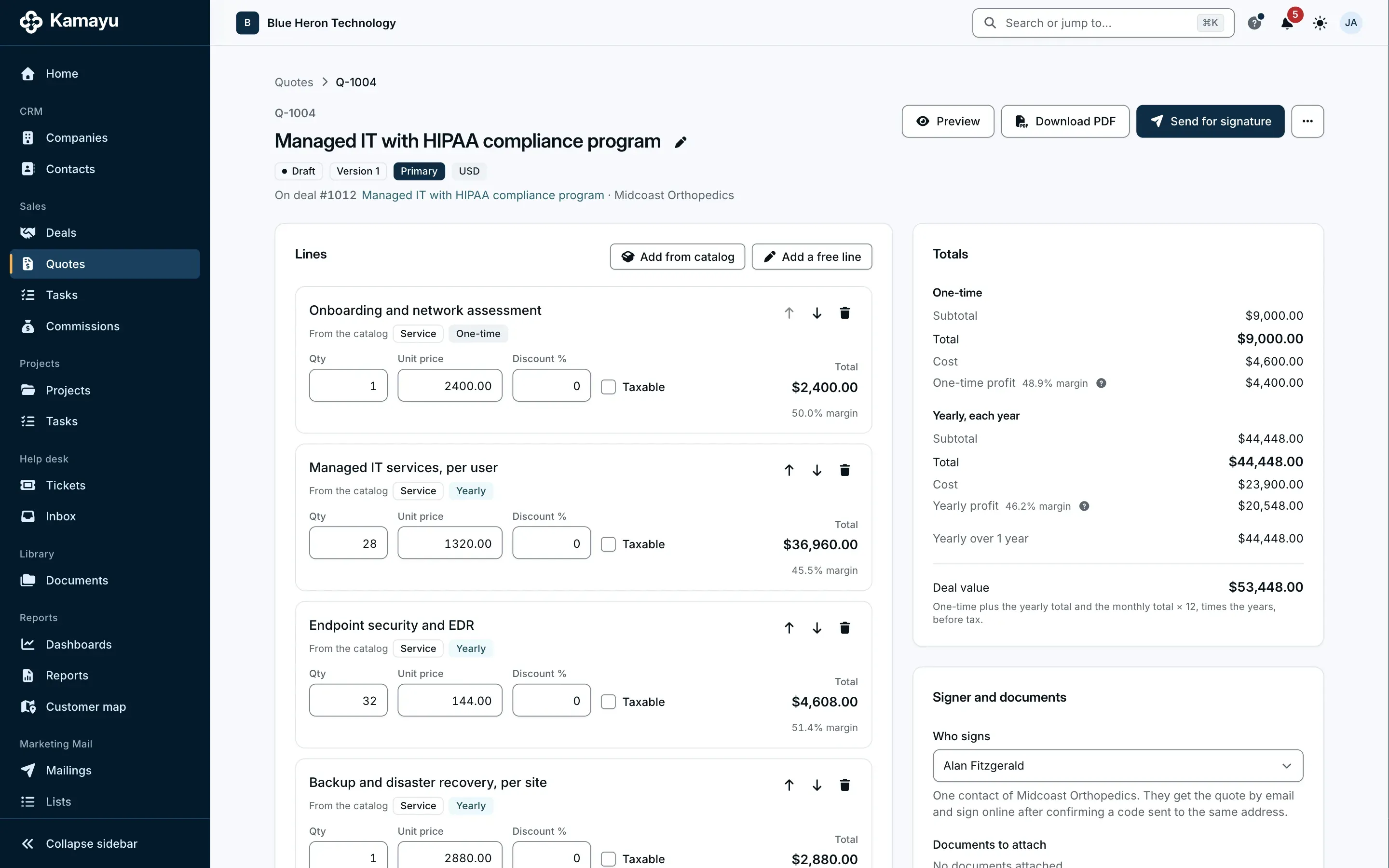
  • One-time and recurring revenue on every quote, and margin on every line
  • Commissions on profit, with quarterly statements
More on the sales pipeline
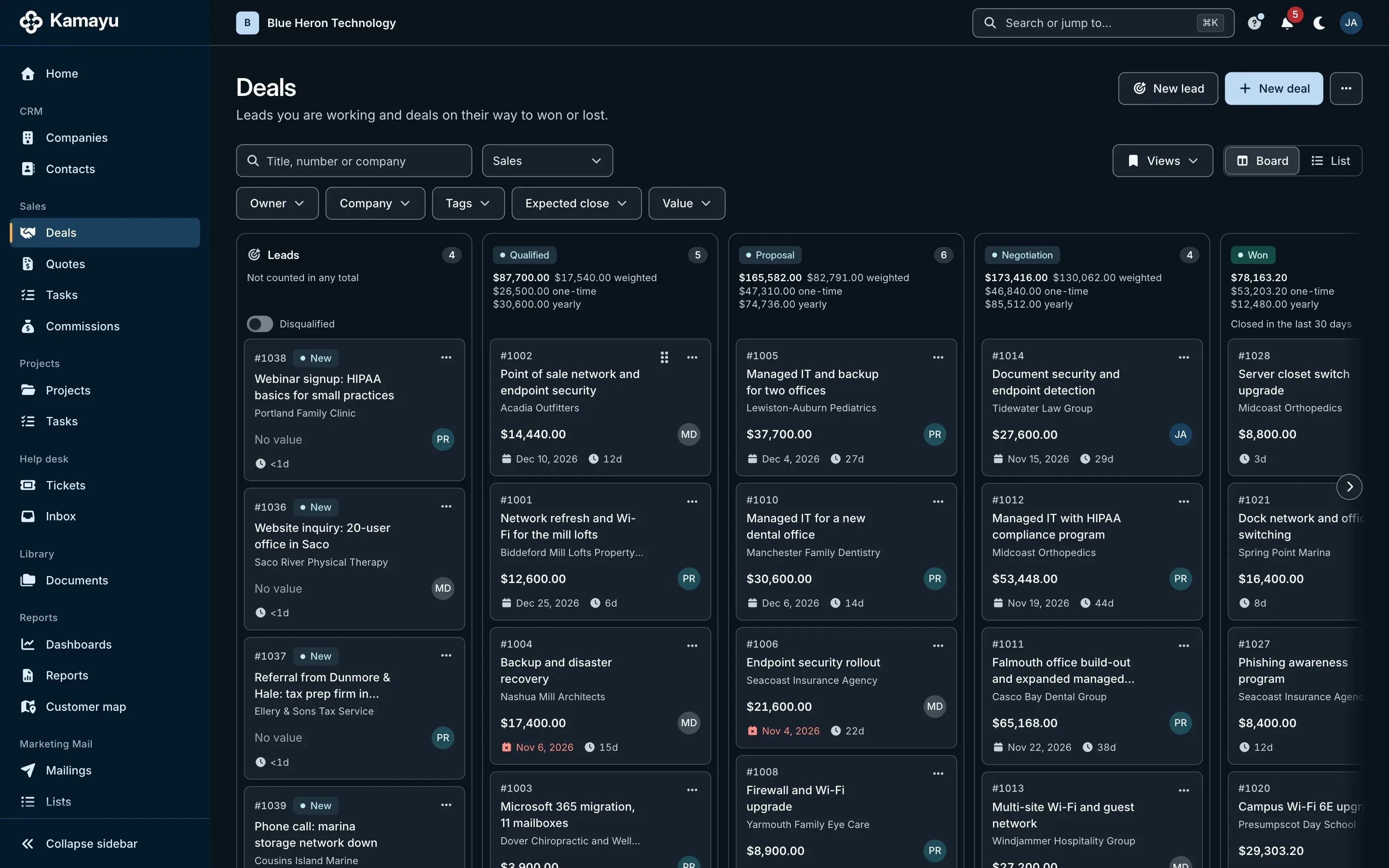
The Kamayu sales pipeline board, with deals in columns by stage.
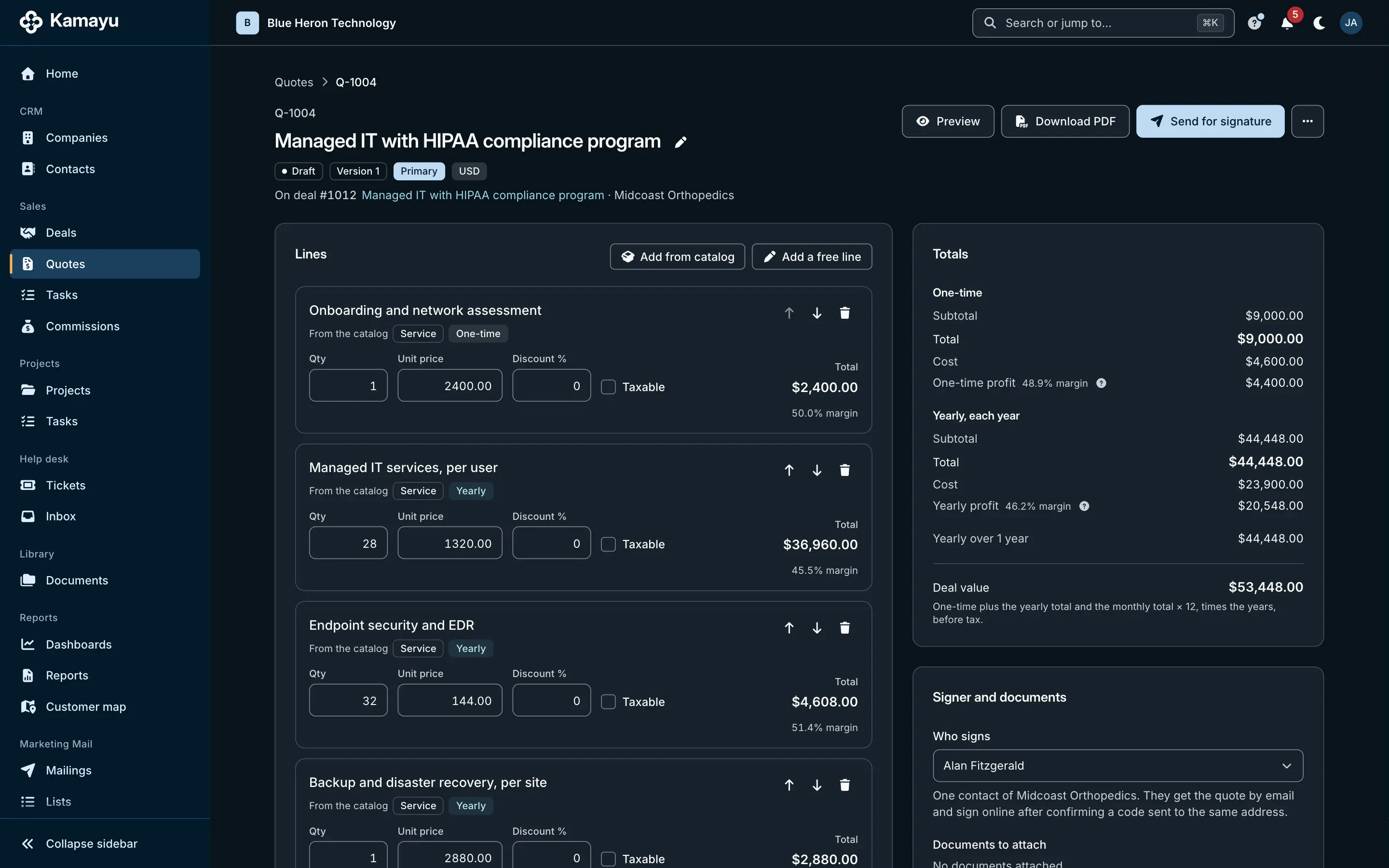
A Kamayu quote with its line items and totals.

Won work becomes a project, scope included.

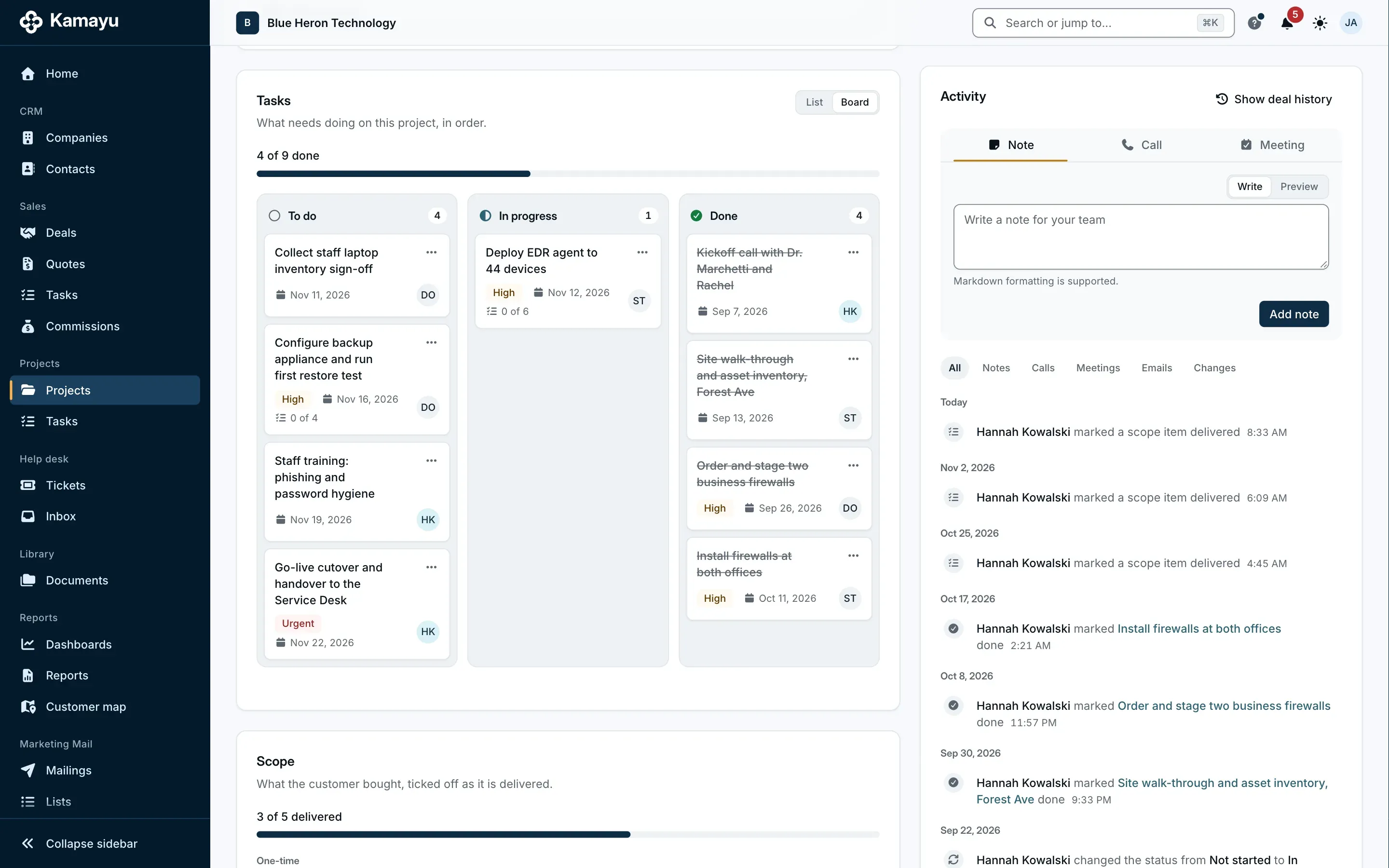
Start a project from the won deal and the signed quote's lines become its scope checklist. Templates set up the tasks, and the go-live date starts the contract.

  • Templates with relative due dates
  • At risk and overdue, at a glance
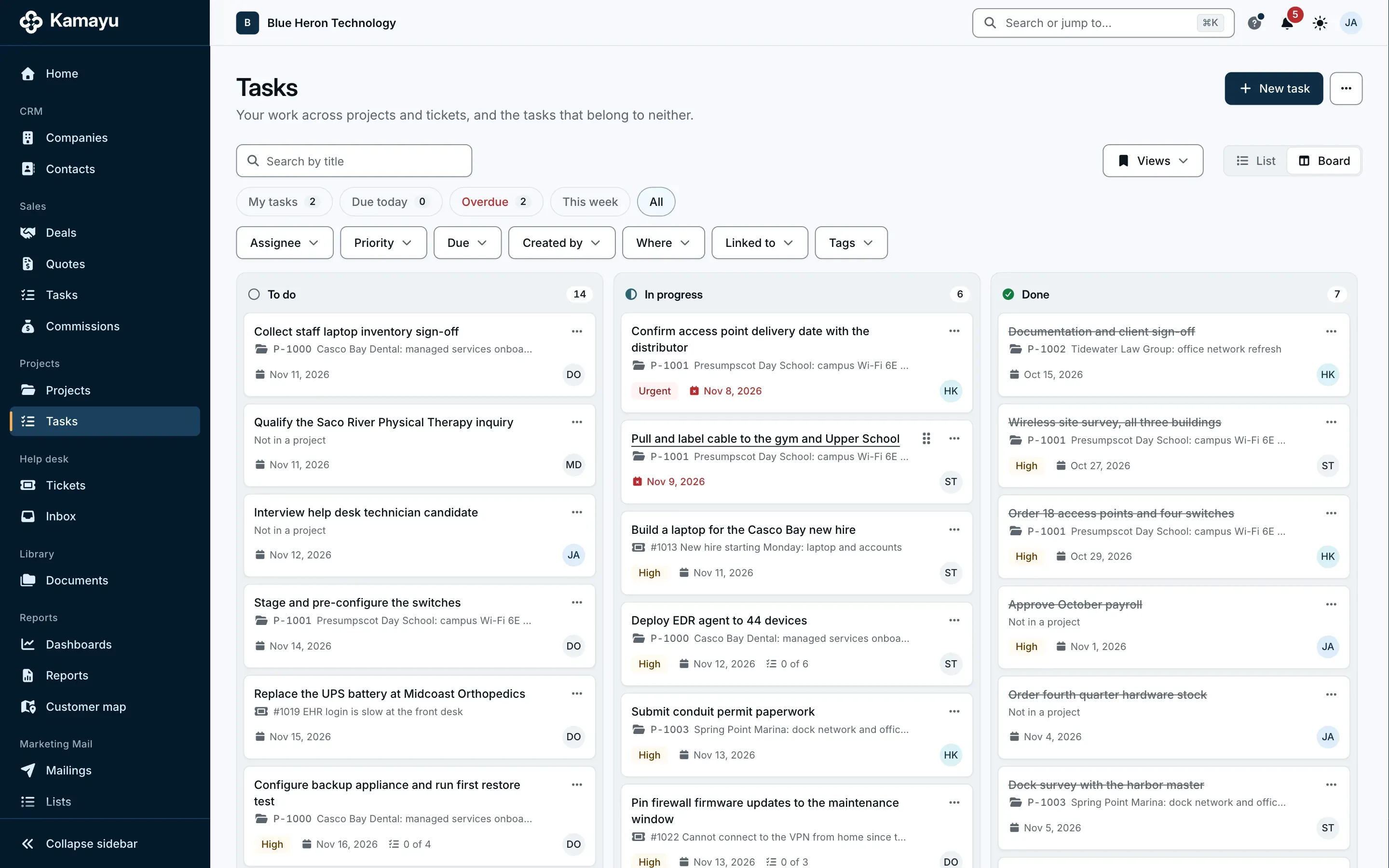
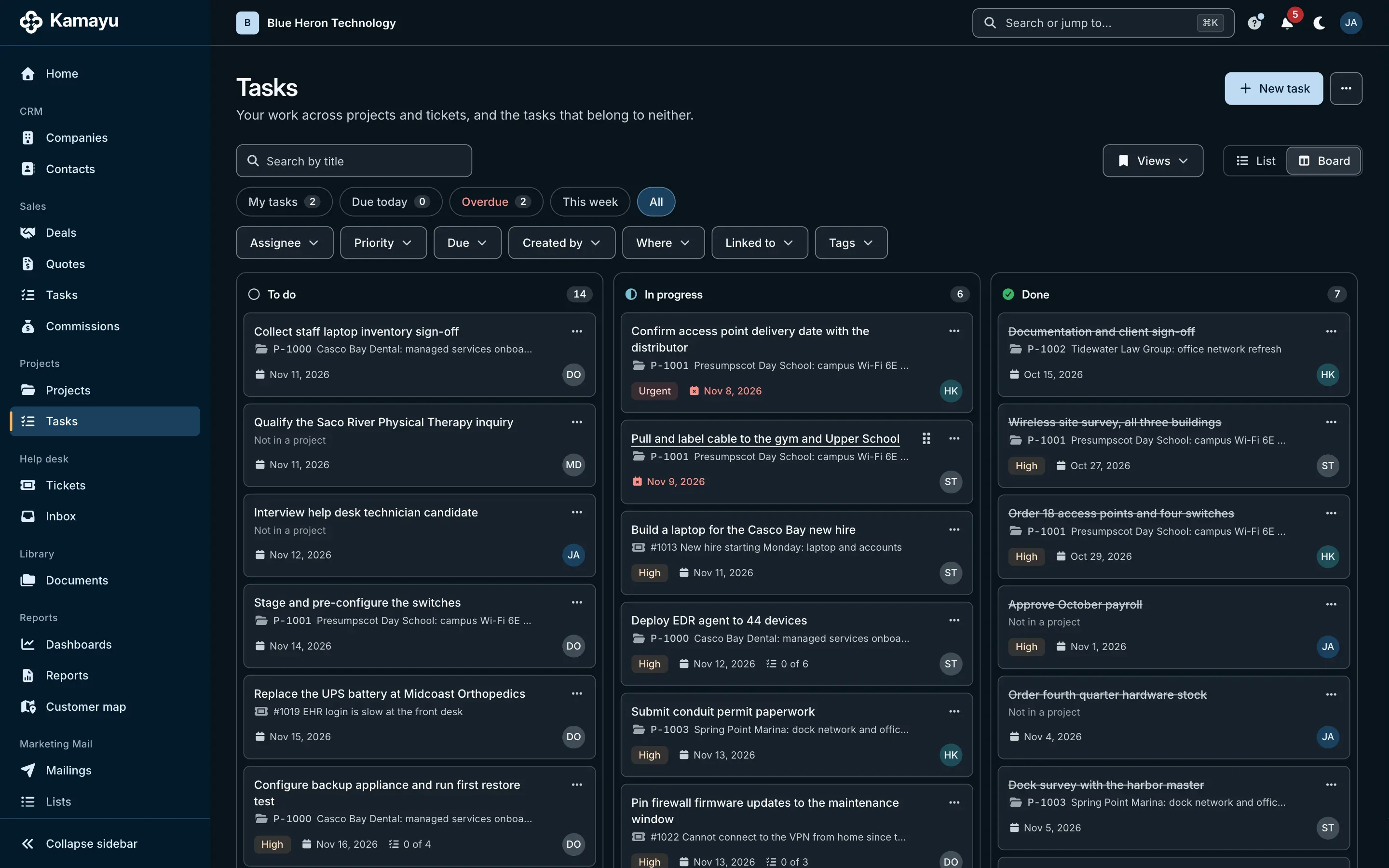
  • Tasks on their own or on any record
  • List, board, checklists and reminders
More on projects
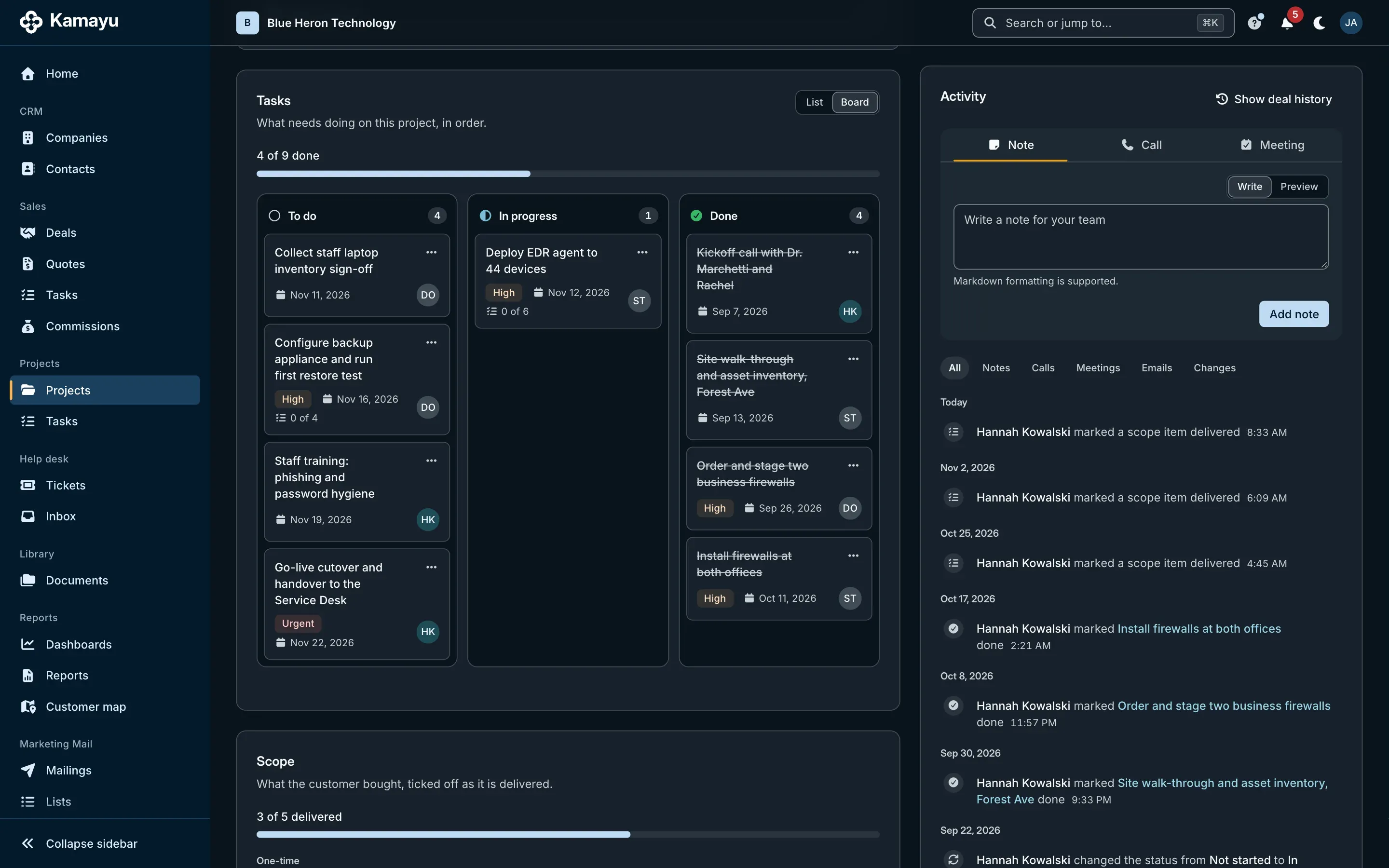
A Kamayu project page with its status, scope checklist and tasks.
The Kamayu tasks board, with tasks in columns by status.

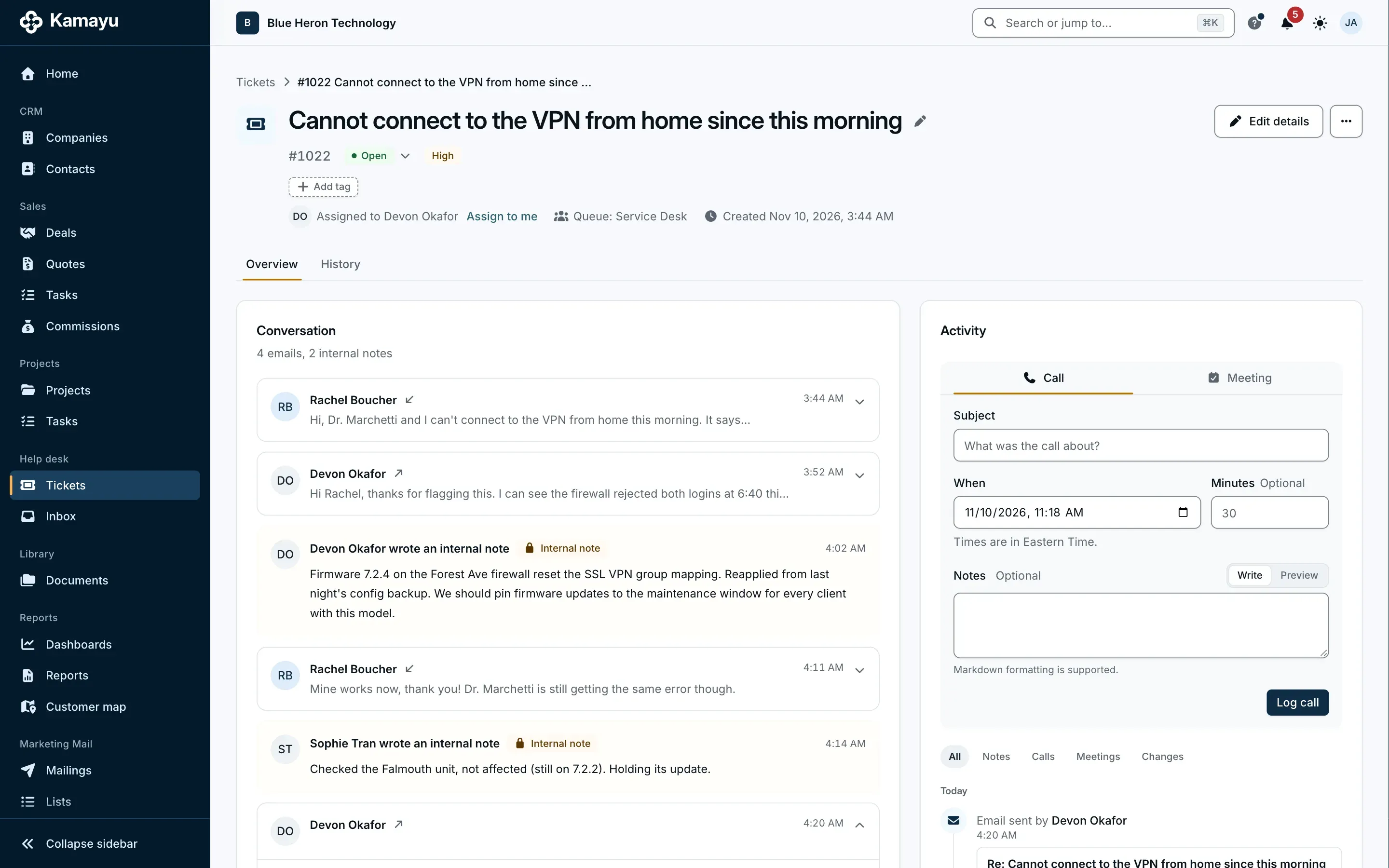
Support from your shared mailbox, without the chaos.

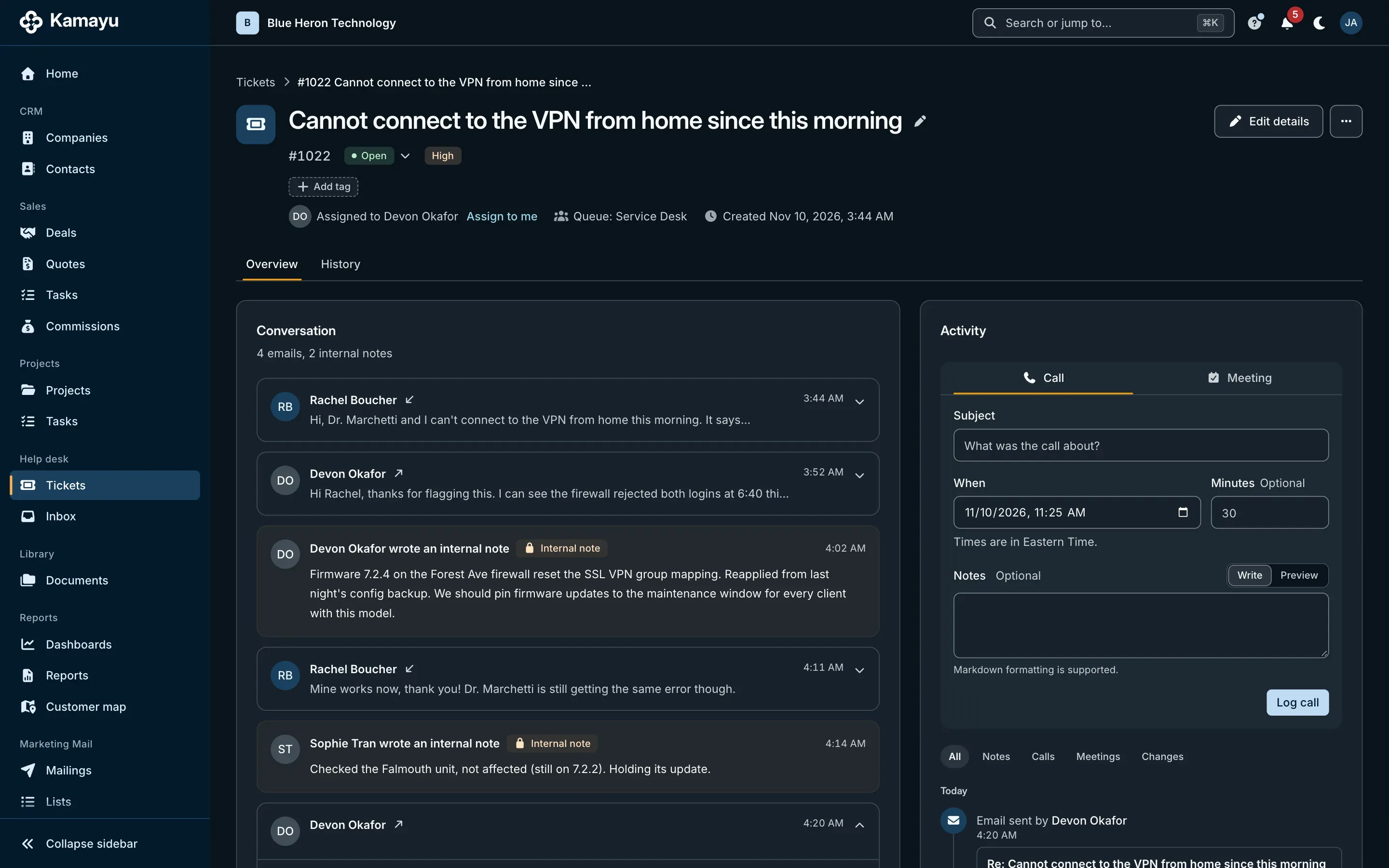
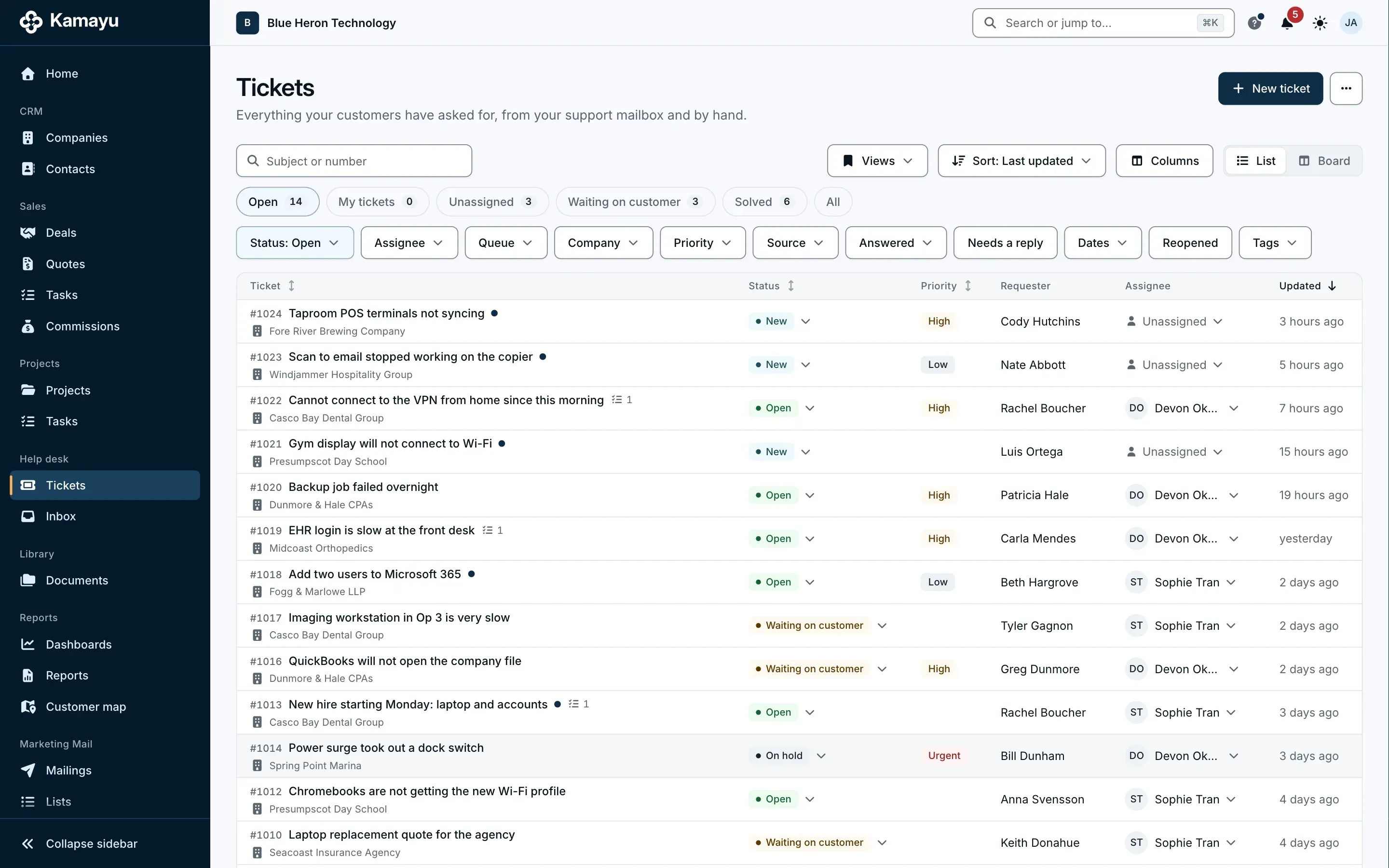
Email to your support address becomes a numbered ticket, acknowledged straight away from that mailbox. Agents reply as support@, keep internal notes, and work from queues that are simply your teams.

  • Six clear statuses, from New to Closed
  • A reply reopens it; solved tickets close after 14 days
  • Queues, assignment and tasks on tickets
  • Keeps the Outlook mailbox tidy too
More on the help desk
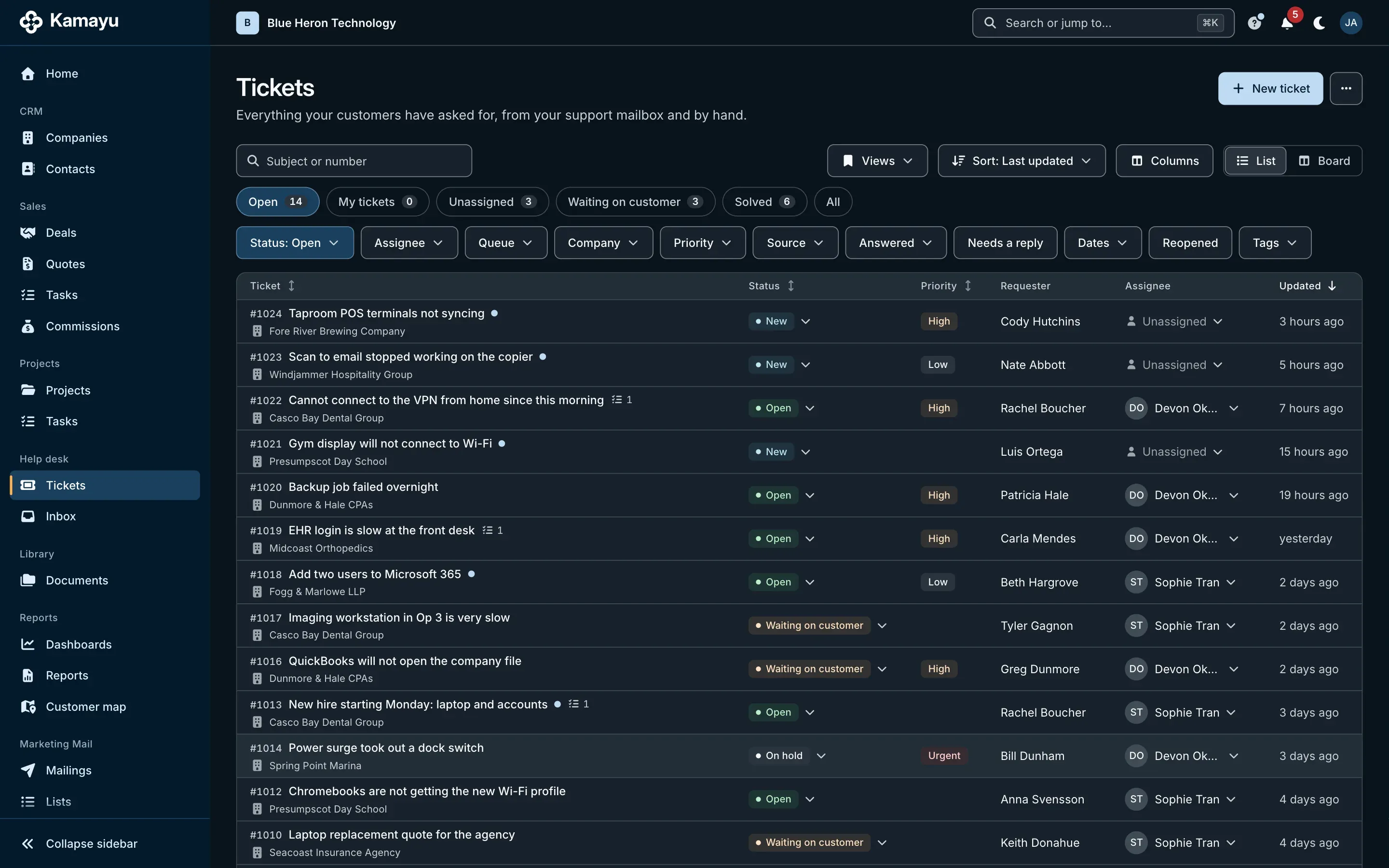
A Kamayu ticket with the customer conversation and an internal note.
The Kamayu help desk ticket list.

See how the business is doing, then click through.

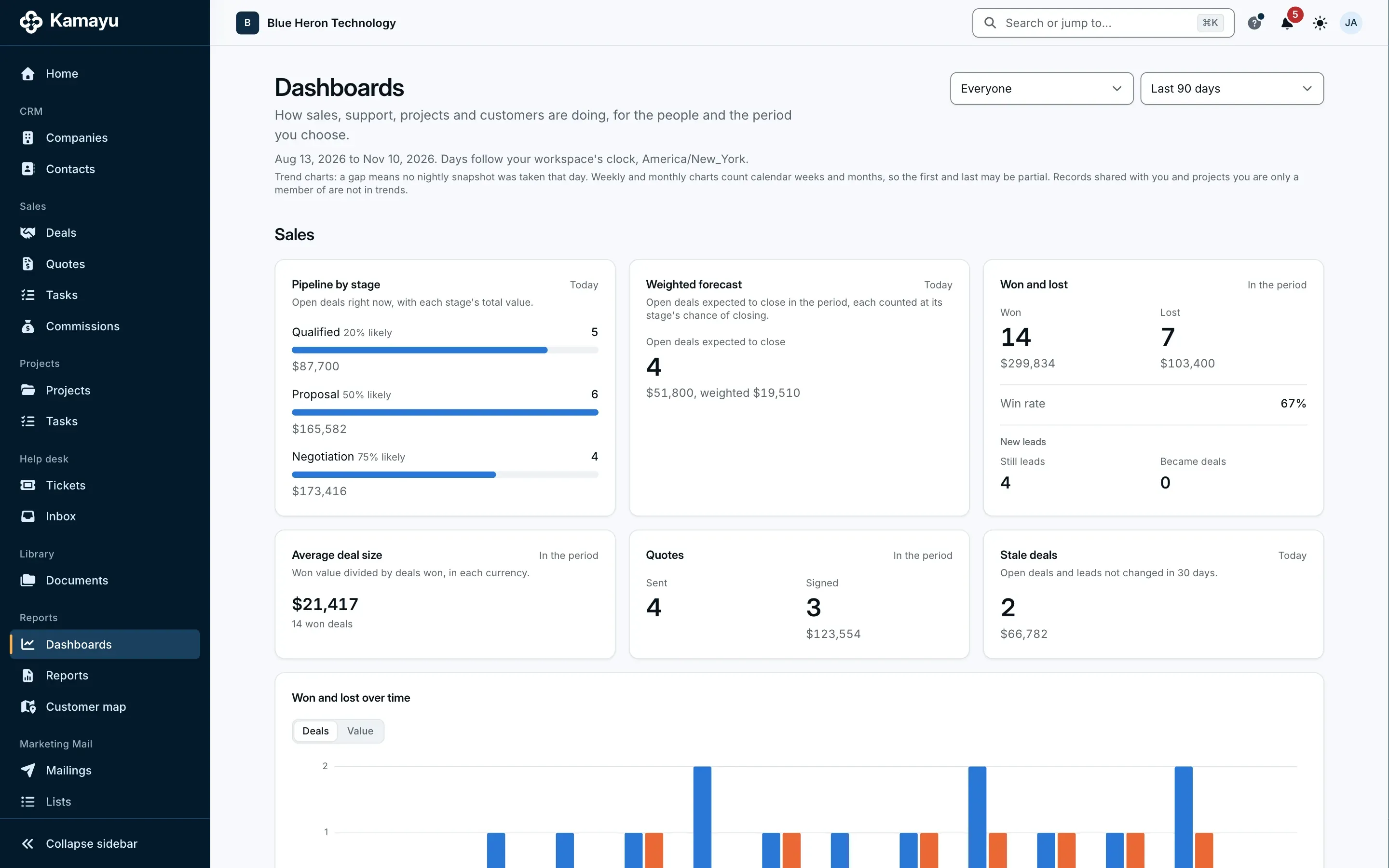
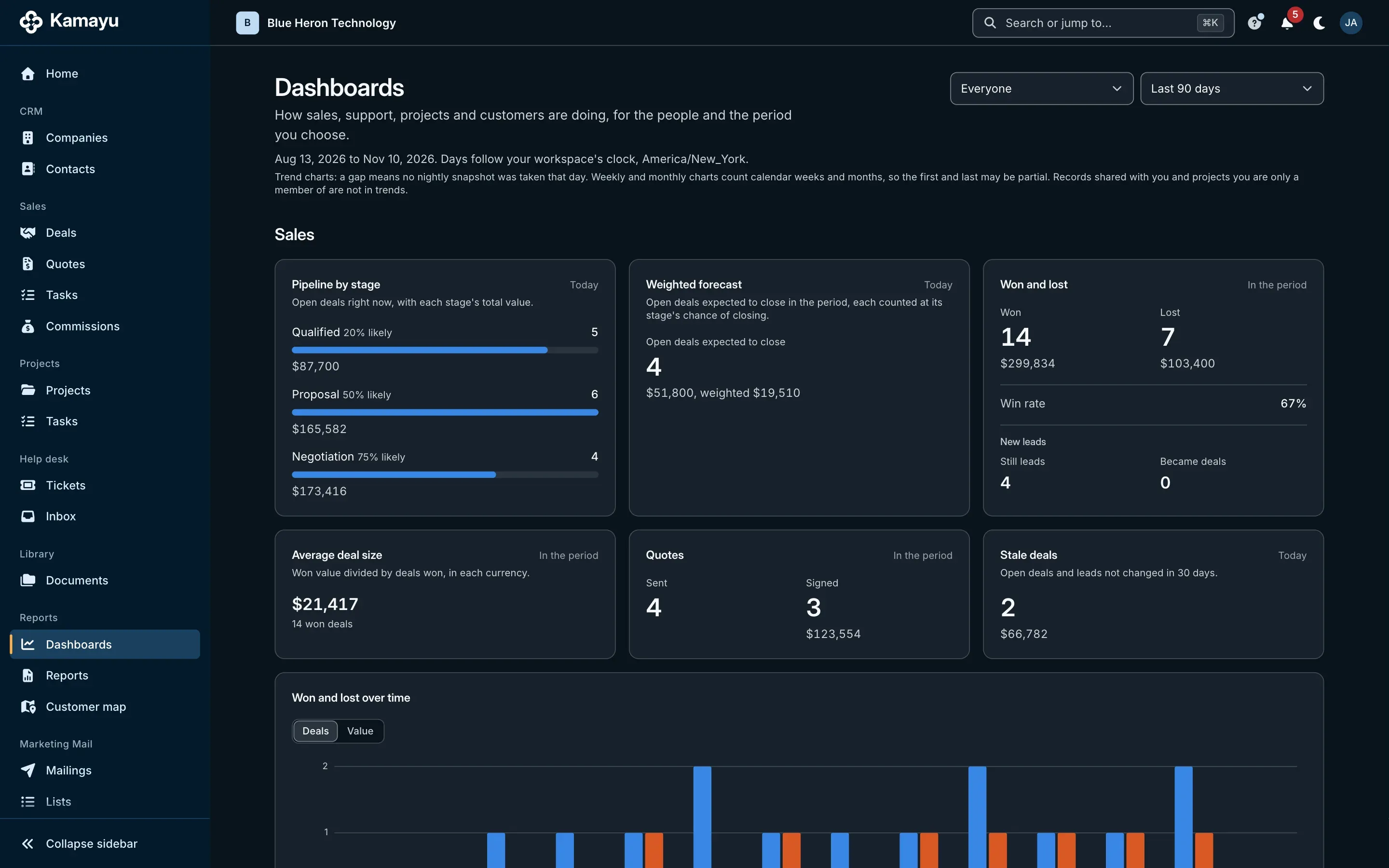
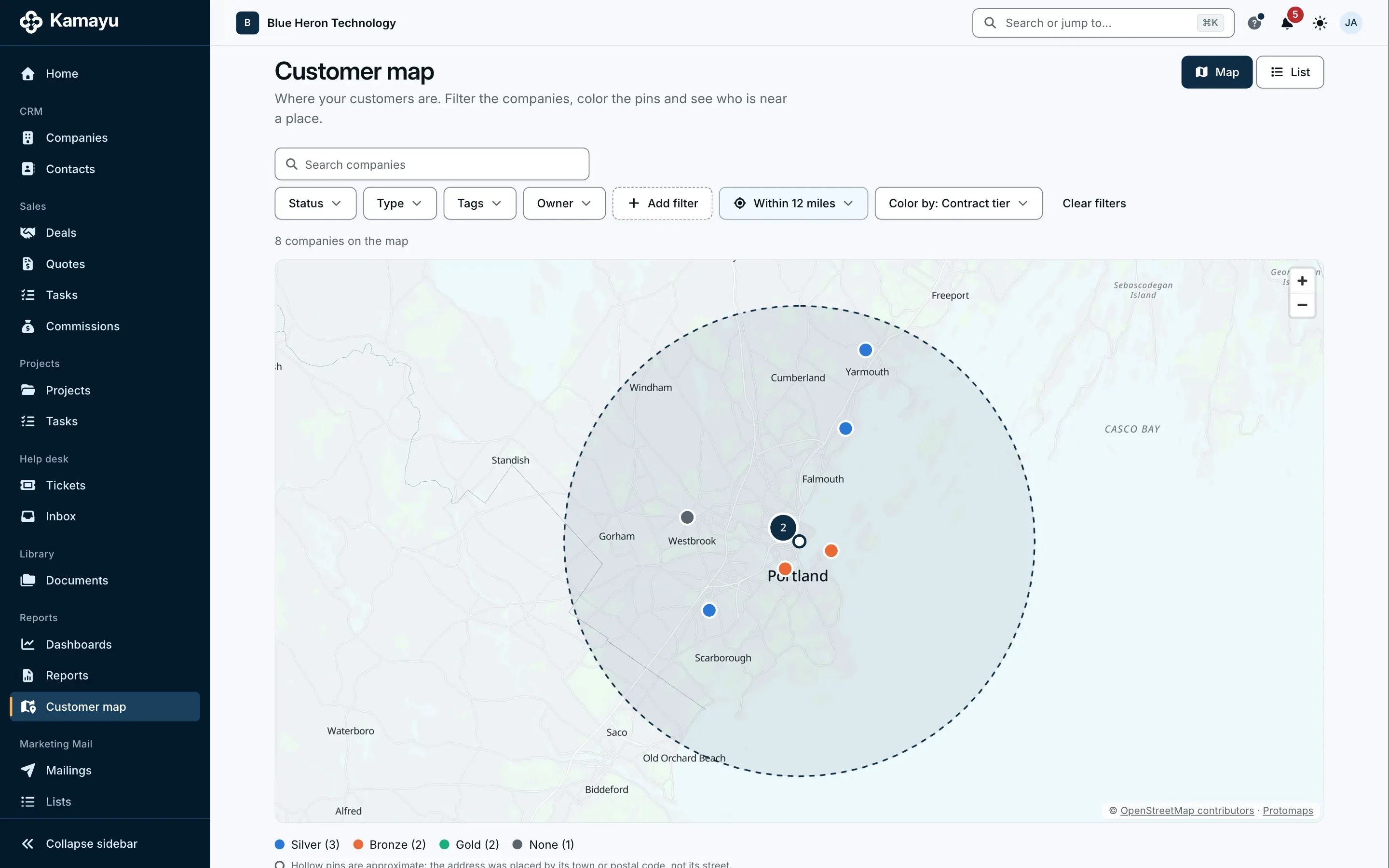
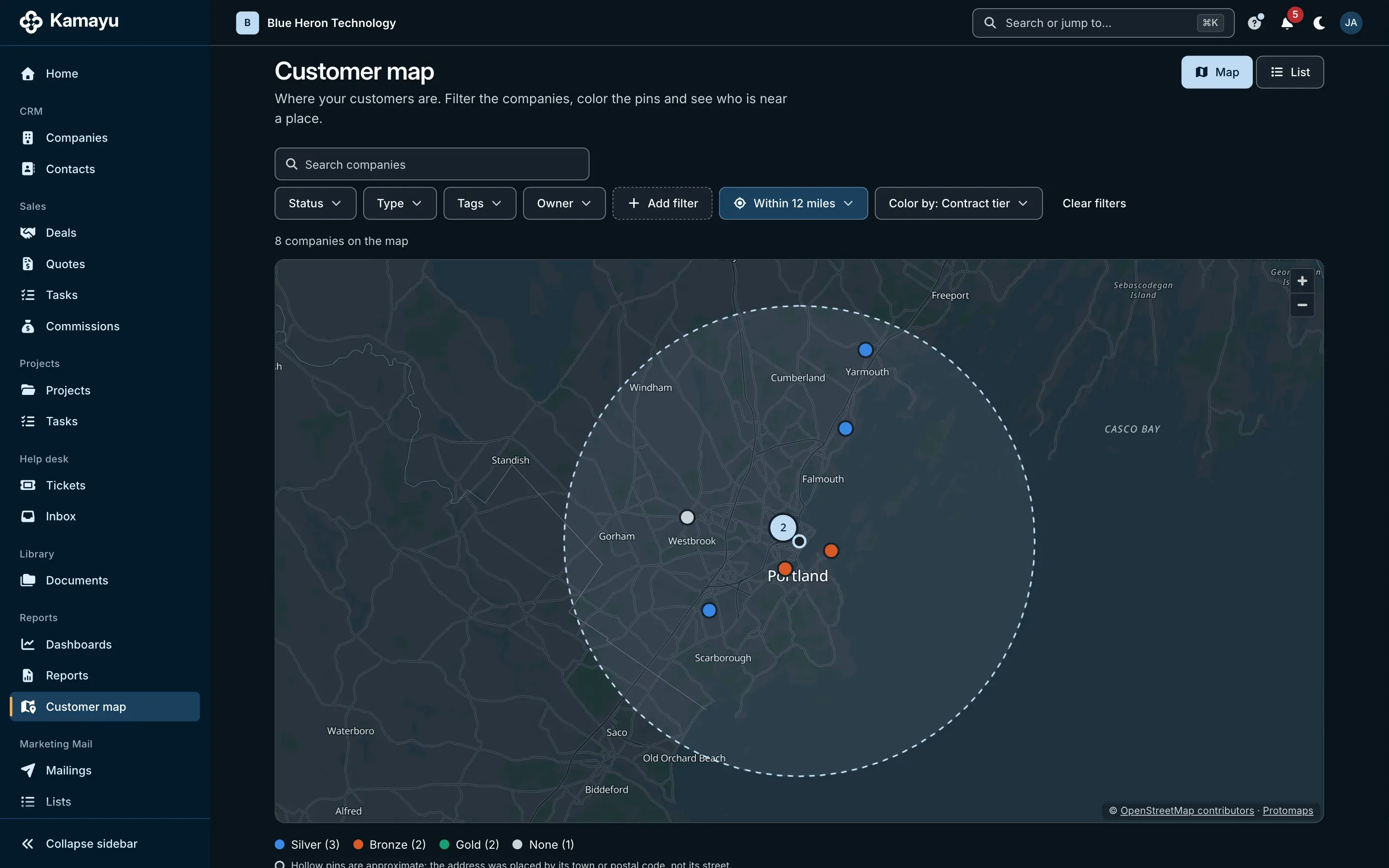
Sales, help desk, projects, team and customers, each with its own dashboard. Every number opens the list behind it. Your customers are on a map too, colored by type, owner, status or one of your fields.

  • Win rate, pipeline and stale deals
  • First response and resolution times
  • Filter by period, team, person or field
  • Find every customer within a few miles of a job
A Kamayu dashboard with sales figures and trend charts.
The Kamayu customer map, with customers shown as colored pins.

Email that works

It's your mailbox. Kamayu just keeps the records.

Most CRMs send email through their own servers. It never shows up in Outlook, replies go missing and threads break apart. Kamayu connects to your real mailbox and sends as you.

  • Lands in your Sent folder

    Every email you send from Kamayu is in Outlook, exactly where you'd look for it. Send as yourself or as a shared mailbox like sales@.

  • True two-way sync

    Replies you send from your phone still show up on the customer's timeline.

  • Matched automatically

    Mail is filed to the right contact and company by address, and threads link to the open deals those people are on. Pin any thread to a deal, project or ticket by hand.

  • Private stays private

    Keep only mail with people and companies in Kamayu, skip personal domains, and mark any thread private.

Works with Microsoft 365 today. Gmail is planned for later.

More on email in Kamayu
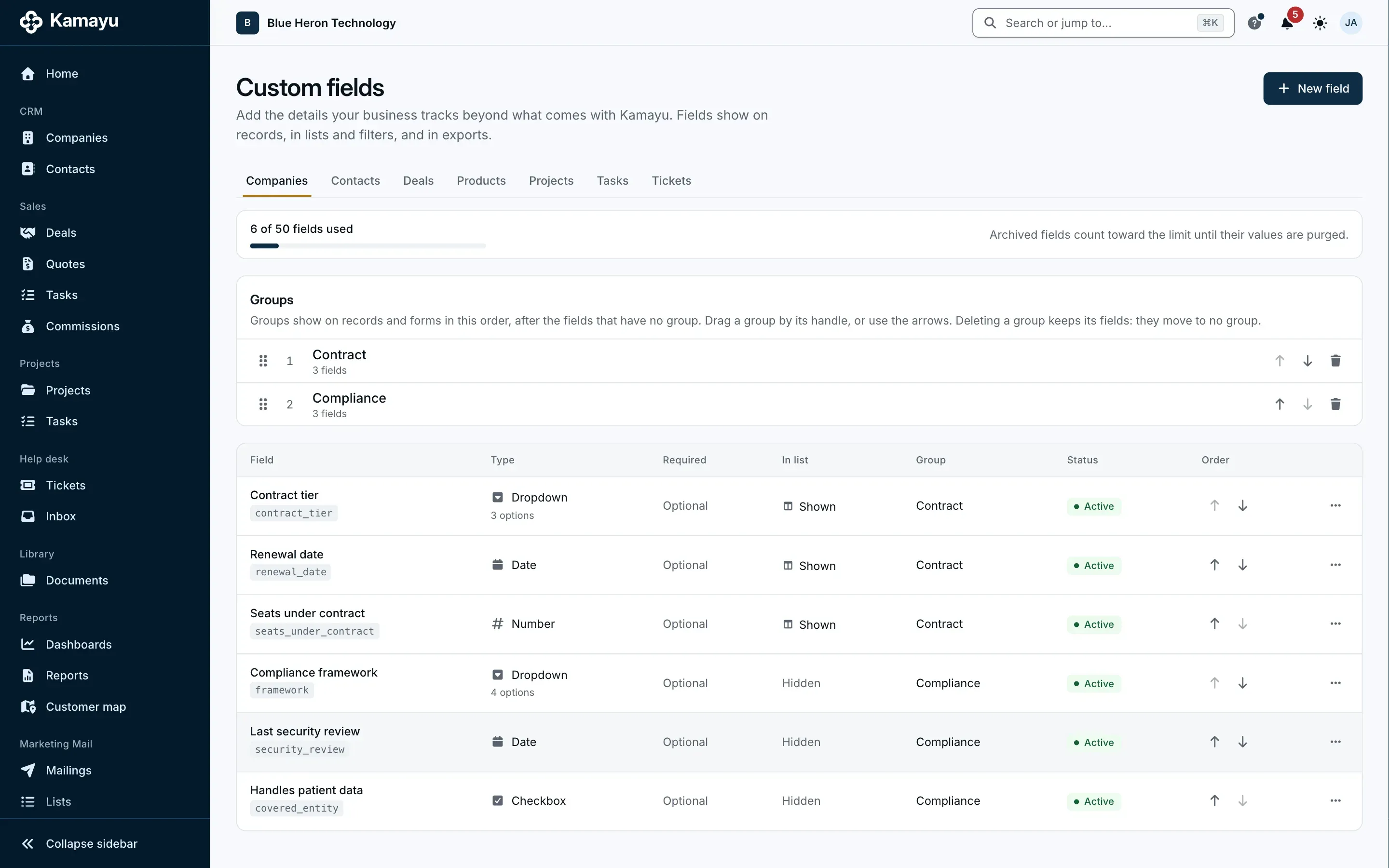
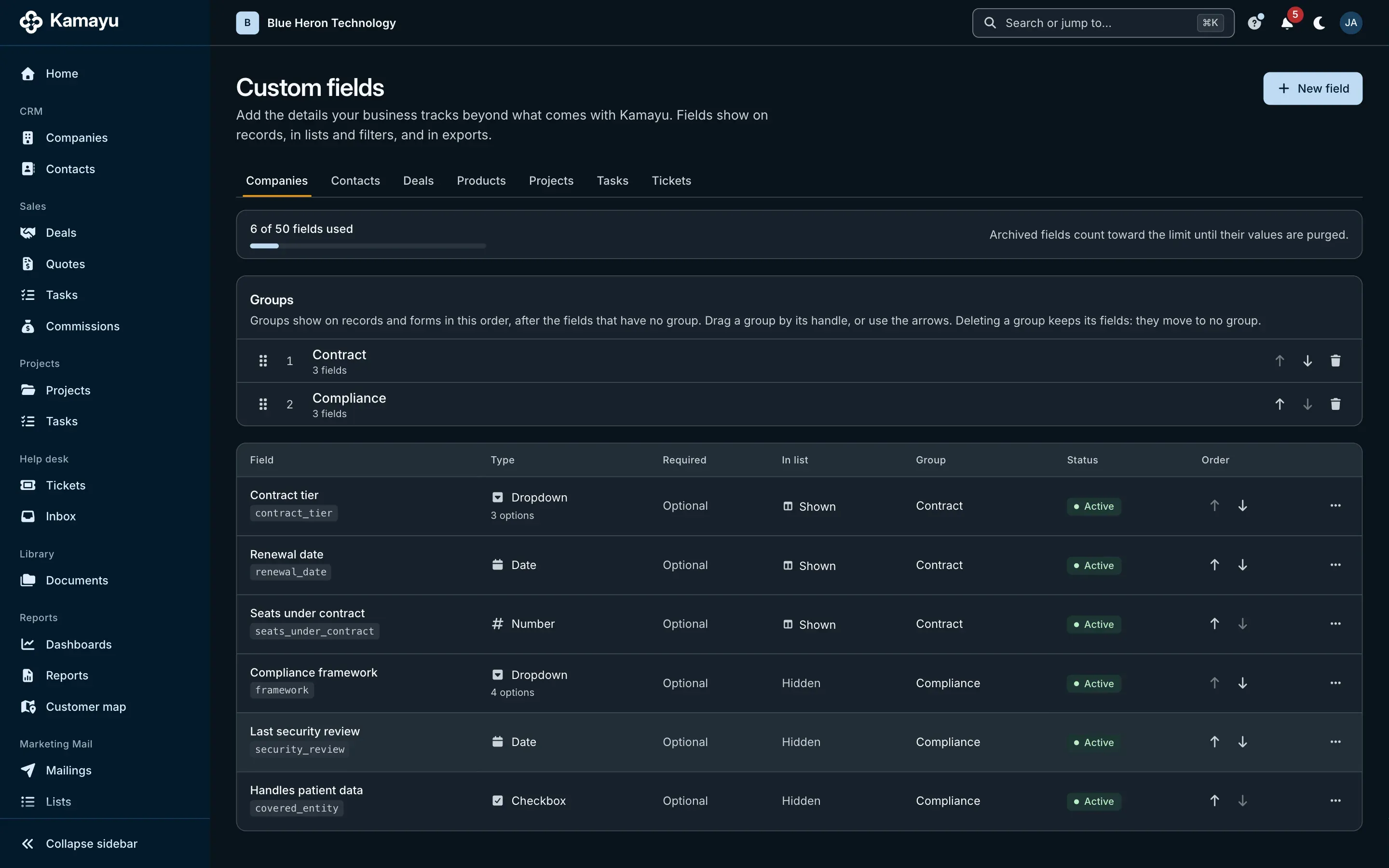
The Kamayu custom fields settings for companies.

Make it yours

Your fields, on every record.

Every business tracks something nobody else does. Add your own fields to companies, contacts, deals, projects, tasks and tickets, and Kamayu treats them like its own. No consultant, no code.

  • Six field types

    Text, number, date, dropdown, checkbox and person.

  • Everywhere you work

    Filter lists and dashboards, color the customer map and fill email templates with them.

  • Controlled by role

    Hide a field, or make it read-only, for any role. Cost and margin stay with the people who need them.

  • In both languages

    Labels, help text and dropdown options in English and Spanish.

Send and sign

Send a quote. Get it signed.

Quoting shouldn't take a process. The quote goes out from your own mailbox, your customer signs online without an account, and Kamayu shows you where it stands.

More on quotes and online signing

Send and sign

Send a quote from your own mailbox through a secure link, with your terms attached. Your customer reviews it and signs online, and the deal is marked won.

  • No account needed to sign
  • Confirmed by a code sent to their email
  • A full signing record, with a PDF copy for both sides

From your inbox, tracked in Kamayu

The quote goes out from your own mailbox, as you. Then Kamayu shows you where it stands, step by step, so you never have to wonder if it arrived.

  • In your Sent folder, like any email you send
  • See when it was sent, opened, viewed and signed
  • A reminder at the halfway point, automatically

Document library

Keep your terms and conditions, requirements, agreements and brochures in one place, ready to attach to any quote or email.

  • Versioned, so you know what was sent
  • English and Spanish versions
  • Permissions like everything else

Support portal

A support portal with your name on it.

Invite the customer contacts you choose. They sign in on your workspace's address to open requests, follow the conversation and check on their work, and none of them takes a seat.

  • Your brand, on your address

    Your name, logo and colors, a welcome message and help links, with a live preview in light and dark before you save.

  • Requests without the email chase

    Customers open requests, reply and add pictures. It all lands on the ticket, and replies by email land there too.

  • Projects and quotes, if you want them

    Project progress, tasks and the updates you mark visible, plus sent and signed quotes with a PDF copy. Each has its own switch.

  • You decide who sees what

    Access is by invitation, one contact at a time. Show customers their own tickets or their whole company's. Costs, margins and internal notes are never shown.

Part of the plan, and off until the workspace owner switches it on. In English and Spanish. Customers sign in with an emailed link, or with a password and two-step verification if they set them up.

More on the support portal

Built differently

Less software. More business.

Kamayu is minimal on purpose, but it bends to the way you work instead of the other way around.

Your data in its own database

Every Kamayu customer gets a separate database. Your records are never stored in a shared table next to someone else's.

Simple by design

Five tools that work together, not forty that need an implementation partner. An alternative to Odoo and Salesforce sprawl.

Roles that make sense

Decide who can view, create, edit, delete and export, in each module, for their own work, their team, or everything.

Nothing happens quietly

Every change is in the audit log, and admins can view Kamayu exactly as any teammate sees it.

English and Spanish

Both languages from day one. Each person picks their own language and time zone, and customers get quotes and emails in theirs.

Your data stays yours

Export every module to CSV whenever you like. Kamayu does not do accounting, and it doesn't pretend to.

AI, built in

AI, on a short leash.

Kamayu's AI runs on Claude, by Anthropic, with your company's own Anthropic key, added in Admin > AI. It sees only what you're allowed to see, and it sends or saves nothing until you accept it.

AI stays off until an owner adds the key and an owner or admin turns it on, and each feature can be switched on or off for the whole company. Anthropic bills you directly; we never charge for AI.

More on AI in Kamayu

Available now

  • Ticket triage

    Suggested tags, priority, queue and assignee for a new ticket, each with a one-line reason, for the agent to accept or dismiss.

  • Suggested replies

    A first draft of a ticket reply, written into the reply box for the agent to check and send.

  • Email drafting

    Draft an email or a reply from the thread, then make it shorter, friendlier or more formal, fix the grammar or switch the language.

  • Summaries

    Key points and next steps for a deal, a company, a ticket or a long email thread.

Work from your AI assistant

Connect an AI assistant like Claude to your workspace and it can look things up, create records and edit them the way the app does: notes, draft quote lines, deal stages and addresses. It acts as you, with your permissions, it can't delete or send anything, and every change is in the audit log. Available on every plan, once an owner turns it on.

Coming later

  • Ask your data
  • Help that answers

Switching is the easy part

Coming from another CRM?

Kamayu comes with a great data import toolset. Bring over your companies, contacts, leads and opportunities, product catalog, sales orders, projects, tasks and help desk tickets from the Excel exports of whatever you use today. Match your columns and stages to Kamayu's, including your custom fields, and check a preview before anything is saved. Run it again just before you go live and it updates what's there instead of making duplicates.

Talk to us about moving

Spend less time keeping records, and more time on customers.

Try every module free for 15 days. Cancel any time before the first charge.